


There are 2 ways of shutting down Tails.
With both techniques, all the data stored in RAM is securely erased to protect you from cold boot attacks.
Standard shutdown from the system menu
The standard shutdown procedure is slower, but prevents damage to your Persistent Storage and data loss.
Open the system menu in the upper-right corner of the screen.
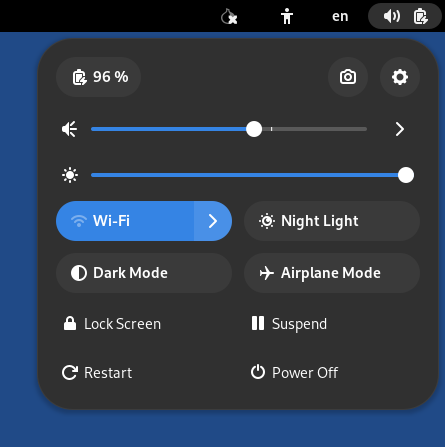
Select
 .
.Select Power Off.
If an application needs to be closed or an open document needs to be saved before shutting down, a Power Off dialog appears with some details.
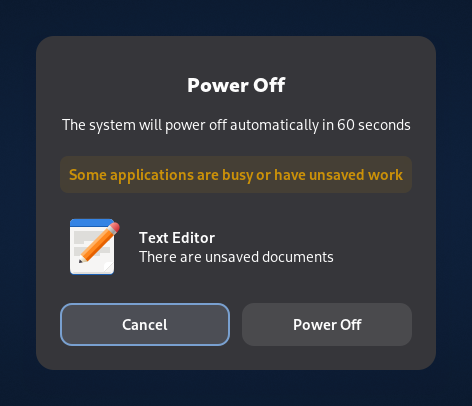
Select the Power Off button to confirm.
Else, the computer shuts down immediately.
Emergency shutdown
To trigger an emergency shutdown, unplug the USB stick or eject the DVD from which Tails is running. Doing so might be faster than shutting down from the system menu.
You risk breaking your Persistent Storage and losing data when you unplug your USB stick while Tails is running.
If you use a Persistent Storage, only unplug your Tails USB stick in an emergency.