
Quando ricevi documenti non affidabili, ad esempio allegati di posta elettronica, [Dangerzone] (https://dangerzone.rocks/) consente di convertirli in PDF sicuri prima di aprirli.
Dangerzone è particolarmente utile per i giornalisti che potrebbero ricevere documenti pericolosi da fonti anonime o scaricarli da Internet.
Dangerzone è realizzato da Freedom of the Press Foundation, è un'associazione senza scopo di lucro che tutela il giornalismo di interesse pubblico. Edward Snowden e Laura Poitras fanno parte del Consiglio di amministrazione.
Puoi installare Dangerzone in Tails utilizzando la funzionalità Software Aggiuntivo.
Non includiamo Dangerzone in Tails solo perché sarebbe troppo pesante (oltre 1 GB), ma lo consigliamo vivamente.
Per saperne di più su come funziona Dangerzone.
Formati compatibili
Dangerzone funziona su molti formati di file, tra cui:
PDF
Documenti Microsoft Office, come .docx, .xlsx e .pptx
Documenti LibreOffice, come .odt and .ods
Immagini come .jpg, .gif, .svg, .tiff, and .png
Ebooks EPUB
Differenze tra Dangerzone e Metadata Cleaner
Tails include anche Metadata Cleaner per la pulizia dei file, ma i casi d'uso di Dangerzone e Metadata Cleaner sono molto diversi.
Ti consigliamo di usare:
Metadata Cleaner per rimuovere i metadati dai file prima di pubblicarli o condividerli.
Dangerzone per pulire i documenti non affidabili condivisi con altri.
| *Dangerzone* | *Metadata Cleaner* | |
|---|---|---|
| Safe to use on | Other people's files | Your files only |
| Clean audio and video files | No | Yes |
| Remove malware and trackers | Yes | No |
| Remove visual metadata and fingerprints¹ | No | No |
| Allow selecting text in generated PDFs | Yes | No |
| Speed | Slower | Faster |
| Included in Tails by default | No | Yes |
- For example printer tracking dots, printing imperfections, or intentional misspellings
Requisiti di sistema
Dangerzone richiede molta memoria del computer e spazio dell' Archivio Persistente perché si basa sulla software containers per manipolare i file pericolosi in modo sicuro.
Per installare Dangerzone, sono necessari almeno:
8 GB di RAM
12 GB disponibili nell'Archivio Persistente
Installare Dangerzone
Per installare Dangerzone come software aggiuntivo in Tails, è necessario:
Configura Dangerzone repository APT
Quando avvii Tails, imposta una password di amministrazione.
Scegli App ▸ Tails ▸ Archiviazione persistente per aprire le impostazioni dell'Archivio Persistente.
Create a Persistent Storage if you don't have one already.
Make sure that the Additional Software feature is turned on.
Close the Persistent Storage settings.
Scegli App ▸ Strumenti di sistema ▸ Console.
Execute the following command to open the configuration of your Persistent Storage in the Text Editor with administration rights.
gnome-text-editor admin:/live/persistence/TailsData_unlocked/persistence.confAdd the following line to store the configuration of third-party APT repositories in your Persistent Storage.
/etc/apt/sources.list.d source=apt/sources,linkAdd the following line to store Podman containers in your Persistent Storage. Podman is the containerization technology used by Dangerzone.
/home/amnesia/.local/share/containers source=podmanSave your changes and close the Text Editor.
Esegui i seguenti comandi per configurare il repository Dangerzone come repository APT aggiuntivo.
sudo mkdir /live/persistence/TailsData_unlocked/apt/sources
sudo ln -s /usr/share/tails/apt/dangerzone.sources /live/persistence/TailsData_unlocked/apt/sources/
Abbiamo incluso questo file di sorgenti in Tails per comodità, ma l'installazione di Dangerzone si basa sul repository APT ospitato da Freedom of the Press Foundation. Di conseguenza:
- You need to trust the packages from this repository not to break the security of your Tails.
- Dangerzone might stop working in Tails outside of the control of the Tails team.
Riavvia Tails.
Install the Dangerzone package
Quando avvii Tails, imposta una password di amministrazione.
Scegli App ▸ Strumenti di sistema ▸ Console.
Execute the following commands to install the
dangerzonepackage and its dependencies.sudo apt update
sudo apt install dangerzone fuse-overlayfs uidmap
After the packages are installed, a notification appears to ask if you want to install
dangerzone,fuse-overlayfs, anduidmapevery time you start Tails in the future.Choose to Install Every Time.
Close the Console.
Convert a test document
Choose Apps ▸ Office ▸ Dangerzone to open Dangerzone.
When opened for the first time, Dangerzone installs its container.
This operation can take several minutes.
After the setup finishes, Dangerzone opens.
Click the button Select suspicious documents.
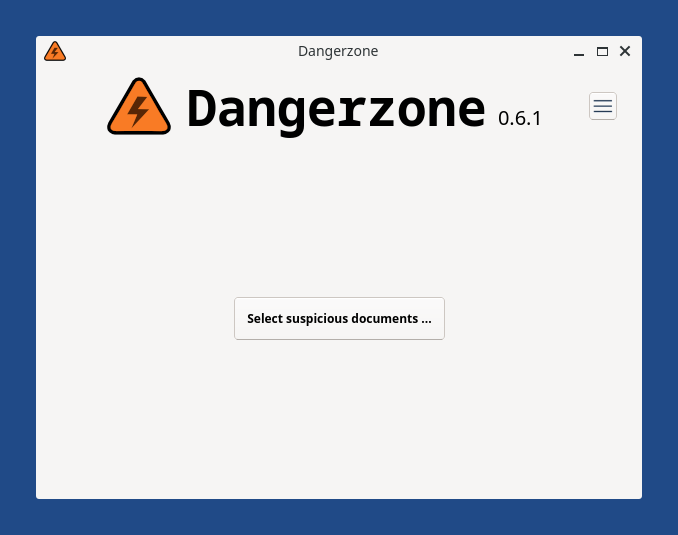
Select a simple document to test the conversion process, like an empty LibreOffice document or an image.
Converting this first document can also take several minutes. After this first document, converting other documents will be faster.
If converting fails with the error Unknown error code '125', restart Tails and try again.
Dangerzone needs a lot of available RAM when running for the first time. Restarting Tails frees as much RAM as possible.
Dangerzone requires at least 8 GB of RAM to install.
After the conversion finishes, the original document is moved to a new unsafe folder and the name of the safe document that has been created includes safe. For example:
├── document-safe.odt
└── unsafe
    └── document.odt
You can use several applications included in Tails to edit the safe PDF produced by Dangerzone.